The Rewards Store offers many e-vouchers. This FAQ explains the redemption steps for the selected e-vouchers listed below.
Which e-vouchers use this redemption process?
Follow the steps in this FAQ if you are redeeming any of the following e-vouchers, subject to availability:
- PARKnSHOP
- Wellcome Supermarket
- HKTVmall
- JHC
- Maxim's
- Luckin Coffee (for use in Mainland China only)
- Trip.com
- Big C
- PlayStation
How do I redeem one of these e-vouchers?
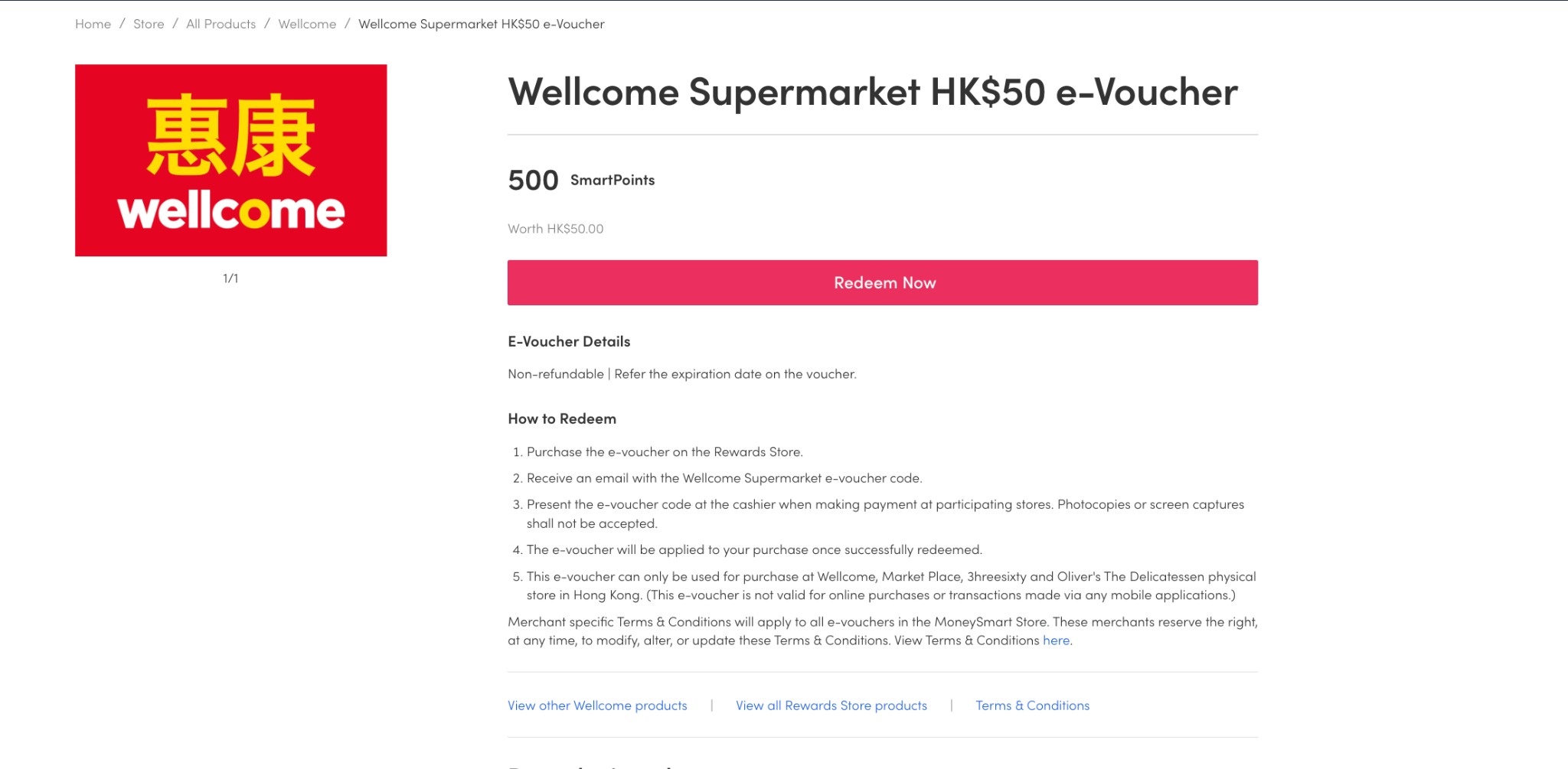
- Select the e-voucher you would like to redeem in the Rewards Store.
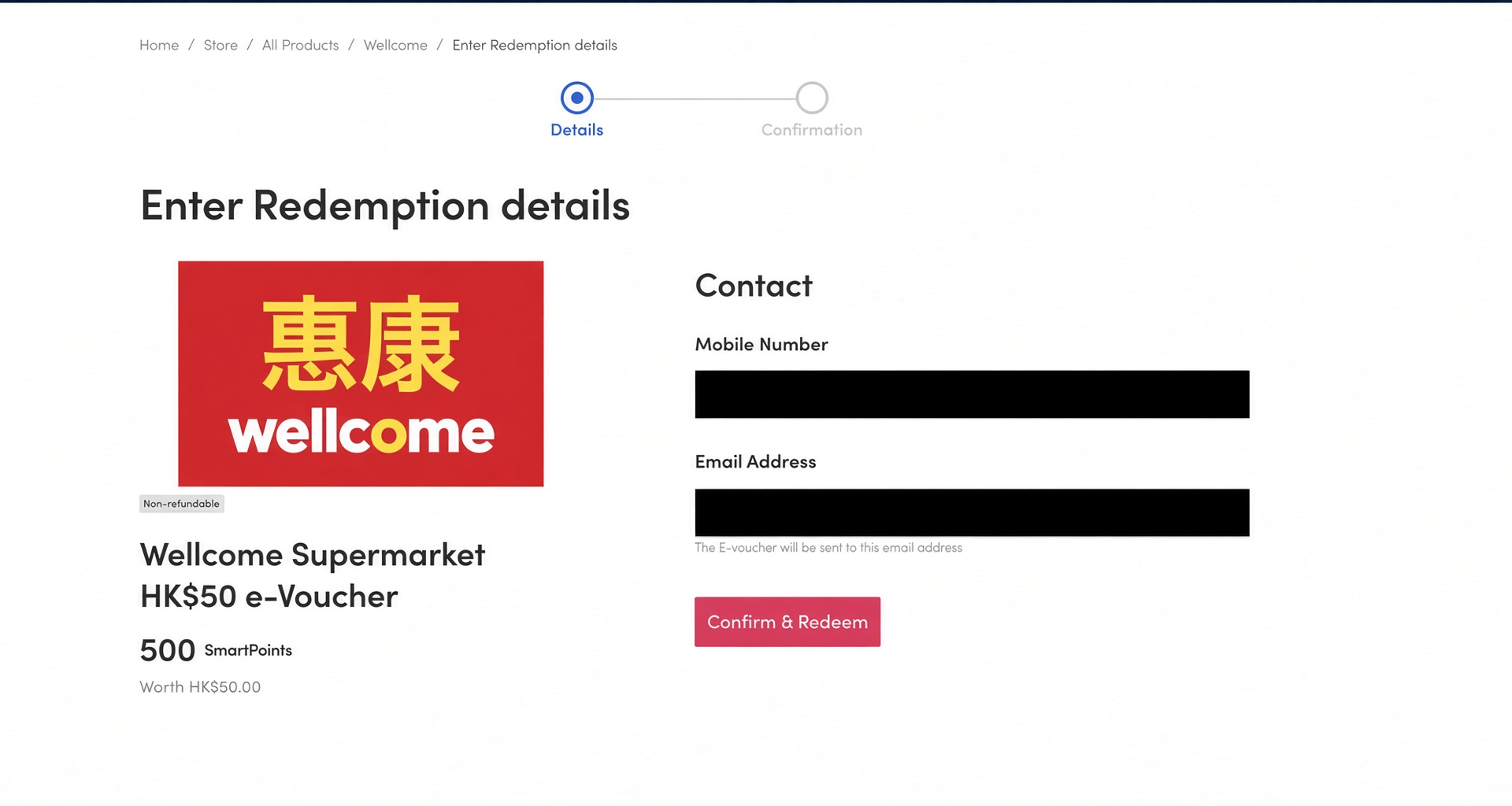
- Click Confirm and Redeem after reviewing the redemption details.
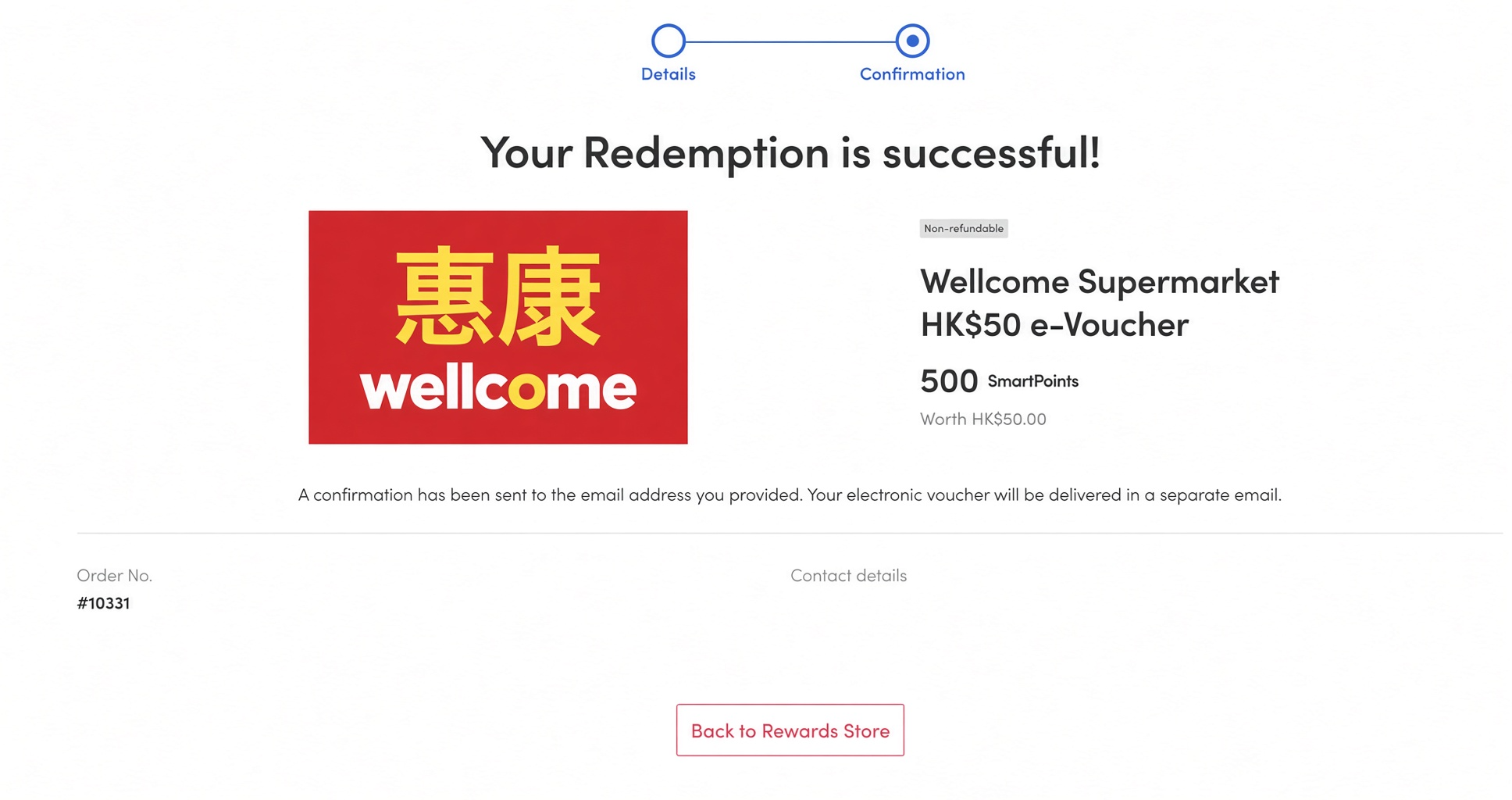
- Wait for the successful redemption confirmation page to appear.
- Check your email inbox for the order confirmation and the separate e-voucher email.
What emails will I receive after redemption?
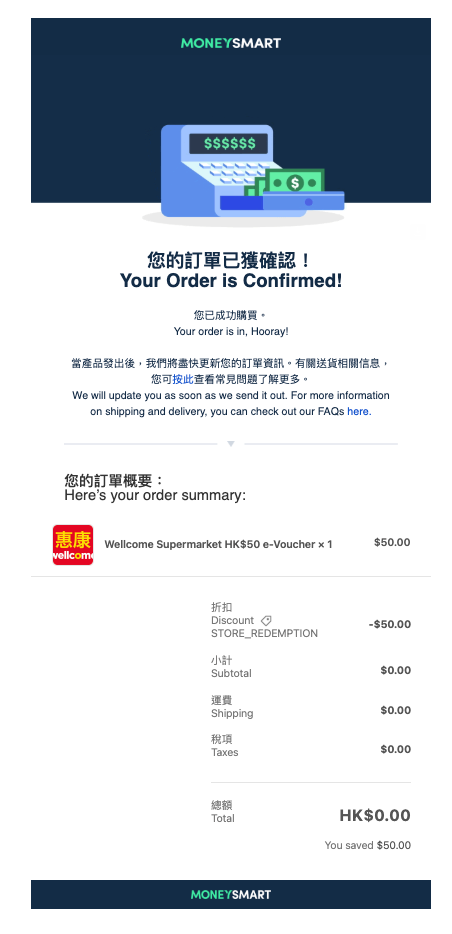
After a successful redemption, you should receive two separate emails:
Email | What to check |
|---|---|
| Order confirmation | Sent from noreply@moneysmart.hk. |
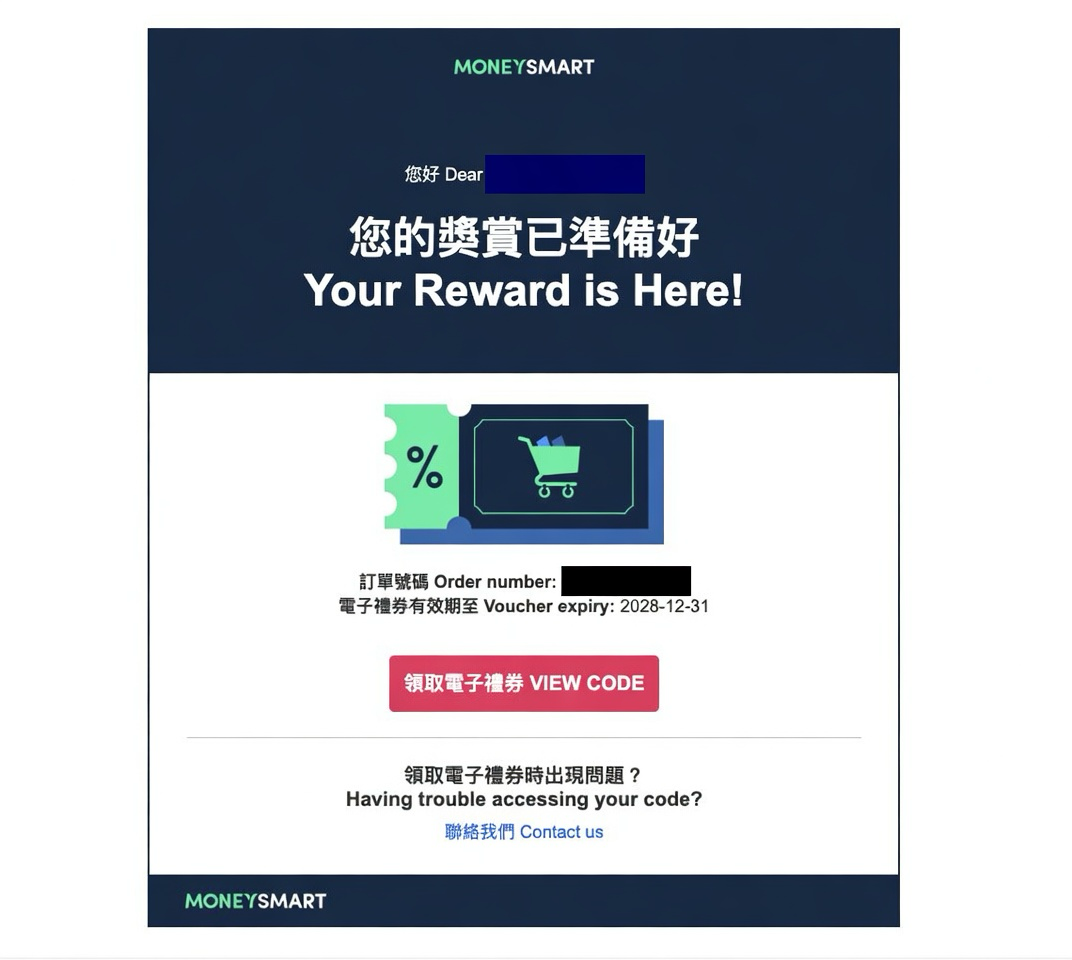
| E-voucher email | Subject: 您的獎賞已準備好 Your Reward is Here! Sent from hello@notifications.moneysmart.hk. |
How do I view my e-voucher code?
Open the e-voucher email with the subject 您的獎賞已準備好 Your Reward is Here!, then click View Code to access your e-voucher.
What should I do if I cannot find the e-voucher email?
- Check your spam, junk, promotions, or other filtered email folders.
- Make sure you are checking the same email address used for the redemption.
- Search your inbox for Your Reward is Here or hello@notifications.moneysmart.hk.
Important notes
- These steps apply only to the e-vouchers listed in this FAQ.
- Other e-vouchers in the Rewards Store may have different redemption steps. Please check the specific reward page or reward email for details.
- E-voucher availability may vary and is subject to the Rewards Store at the time of redemption.
- Luckin Coffee e-vouchers are for use in Mainland China only.
- Please review the terms and conditions shown on the e-voucher before use.
Need more help?
If you still cannot access your e-voucher, please contact MoneySmart support and include your registered email address, redemption date, and reward name so we can check your redemption status.
Was this article helpful?
That’s Great!
Thank you for your feedback
Sorry! We couldn't be helpful
Thank you for your feedback
Feedback sent
We appreciate your effort and will try to fix the article